Linux
Installation
GooGo is currently installed directly from GitHub.
npm installation will be added later.
1. Clone the repository
git clone https://github.com/Forzun/GooGo.gitEnter the project:
cd GooGo2. Install dependencies
GooGo uses Bun.
bun install3. Install Ollama
Install Ollama for your operating system, then make sure the Ollama service is running.
You can verify it with:
ollama listDownload a Chat Model
GooGo lets you use models installed in Ollama.
For example:
ollama pull qwen3.6:27bYou can use another compatible Ollama model if you prefer.
Check your installed models:
ollama listWhen GooGo starts, you can select from your locally installed models.
Download the Memory Embedding Model
GooGo's long-term memory system uses a separate embedding model.
The embedding model does not generate chat responses.
It converts memories and questions into numerical vectors so GooGo can perform semantic search and find relevant memories.
Here are some recommended embedding models list
- ollama pull Qwen3-Embedding-8B
- ollama pull Qwen3-Embedding-4B
- ollama pull mxbai-embed-large
For more check here: https://ollama.com/search?c=embedding
Download the embedding model:
ollama pull nomic-embed-textMake sure it appears in:
ollama listthis is just how rag work
The chat model and embedding model have different jobs:
Chat Model
    │
    └── Thinks, answers questions and works with code

nomic-embed-text
    │
    └── Finds semantically relevant memories
Running GooGo
During development, run:
bun linknow simply you need to run goo command to use it
goo GooGo will detect your locally installed Ollama models and ask you to select one.
? Select a model

● qwen3.6:27b
● llama3.2:8b
● ...
After selecting a model, you can start chatting.
Memory Architecture
GooGo follows an important principle:
Markdown is the source of truth. SQLite is the search index.
Your permanent memory lives inside Markdown files.
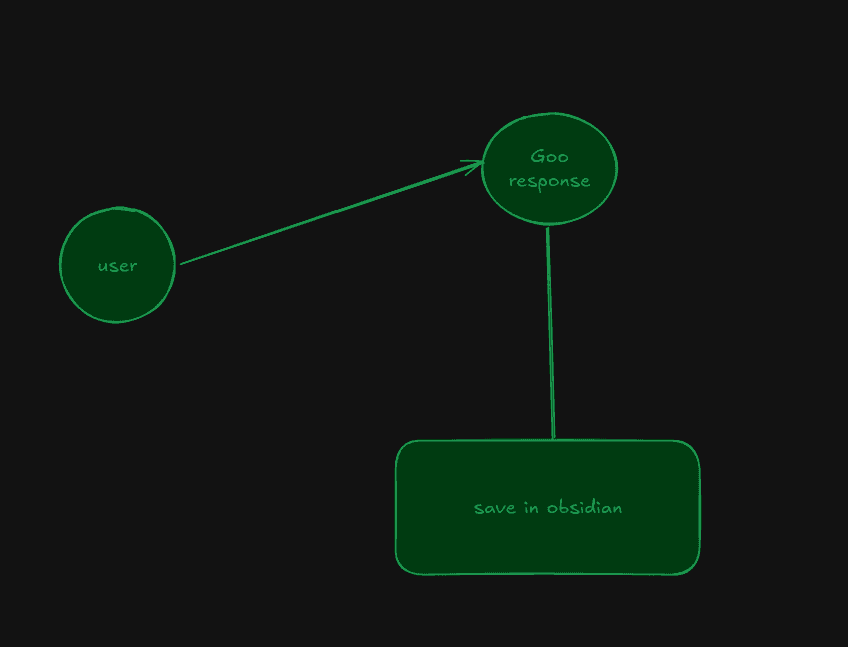
This means the SQLite database is disposable.
If the vector database is deleted, the original Markdown memories still exist and can eventually be re-indexed.
-->
Memory Location
By default, GooGo stores its data inside:
~/.goo/The structure looks roughly like:
~/.goo/
│
├── config.json
│
├── vector.db
│
└── vault/
    │
    ├── Daily/
    ├── Memory/
    ├── People/
    ├── Preferences/
    └── Projects/
The vault directory contains the human-readable Markdown memory.
The vector.db file contains the SQLite search index.
Open GooGo Memory in Obsidian
GooGo's memory vault is compatible with Obsidian.
To explore your memory:
- Open Obsidian.
- Choose Open folder as vault.
- Select:
~/.goo/vaultFor example:
/home/your-username/.goo/vaultOnce opened, you can browse GooGo's Markdown memory directly inside Obsidian.
View Memory as a Graph
After opening:
~/.goo/vaultas an Obsidian vault, open Graph View.
As GooGo's memory system grows and notes begin using Obsidian links such as:
The long-term goal is to combine:
- Semantic vector search
- Markdown knowledge
- Obsidian links
- Tags
- Projects
- Preferences
- People
- Recency
This allows GooGo's memory to remain both machine-searchable and human-readable.
Memory Privacy
GooGo's memory is stored locally on your machine.
Your vault lives inside:
~/.goo/vault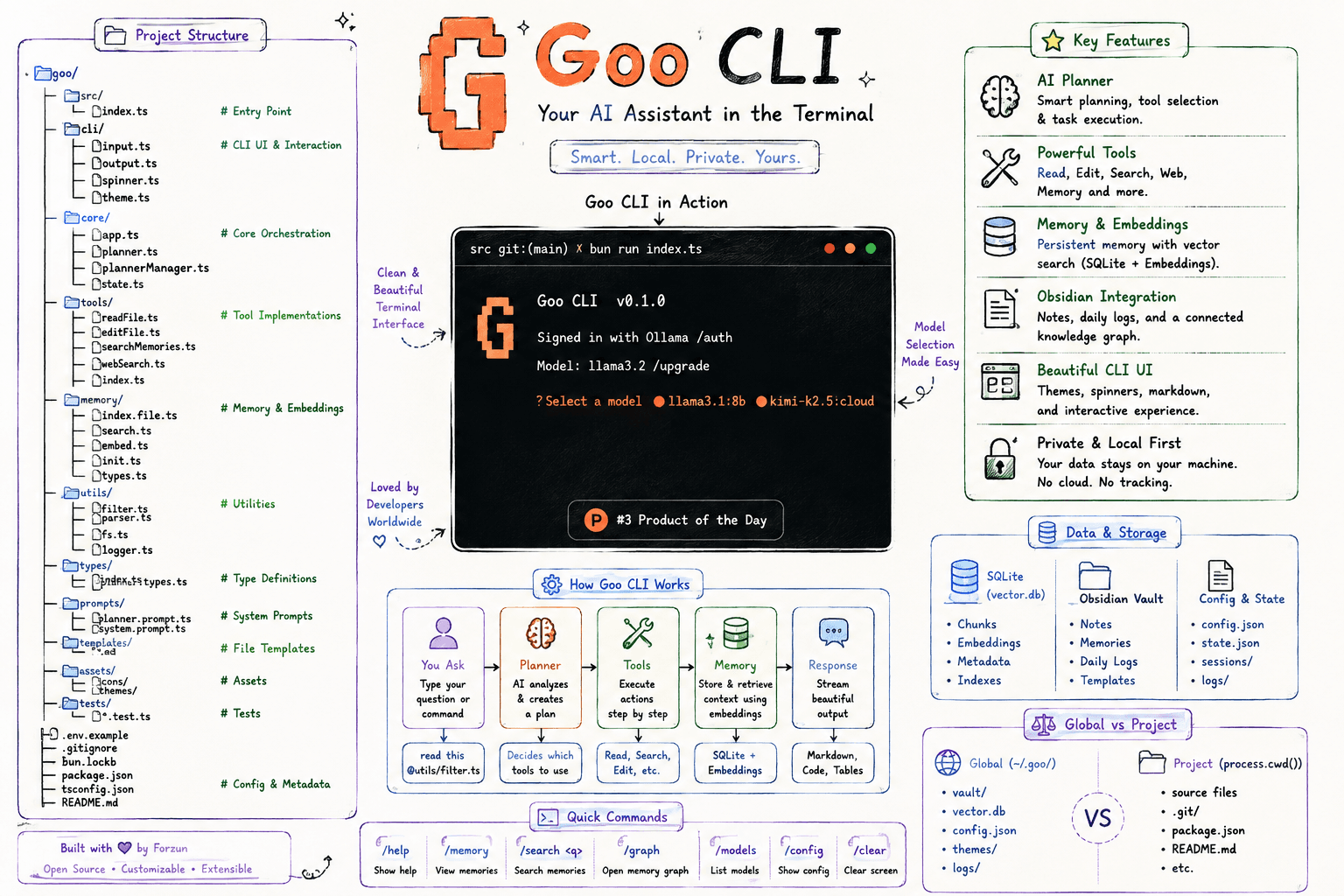
You can:
- Read your memories
- Edit them
- Delete them
- Back them up
- Version-control them
- Open them in Obsidian
The goal is simple:
Your AI memory should belong to you.
Now you done goo and enjoy after this its all about upcoming feature
Contributing
GooGo is open source and experimental.
If you find a bug, have an idea, or want to improve the project, contributions are welcome.
You can:
- Open an issue
- Suggest a feature
- Submit a pull request
- Improve documentation
- Experiment with the memory architecture
GooGo
Your code. Your models. Your memory.
Built for developers who want to explore what a truly local, open, memory-aware AI coding assistant can become.